Website Not Showing Up on Google? Here's Exactly Why
You built a website. Maybe you paid good money for it. But your website is not showing up on Google. You search your business name and get nothing, or you search the thing you sell and you're nowhere on the first five pages.
This is one of the most common problems small business owners face, and it's almost always fixable once you know what's wrong.
Here are the nine reasons your website is not showing up on Google, in order from most common to least. For each one, we'll tell you how to check if it's your problem and exactly what to do about it.

1. Website Not Showing Up on Google? Check If It's Indexed
If Google doesn't know your website exists, it can't show it to anyone. According to Google's own documentation on how search works, pages must be crawled and indexed before they appear in results. This is the most basic issue and the first thing to check.
How to check
Type site:yourdomain.com into Google. If zero results come back, your site isn't indexed. If some pages show up but others don't, you have a partial indexing problem.
Common causes
- Your site is brand new and Google hasn't found it yet
- A
robots.txtfile is telling Google not to crawl your site - Your pages have a
noindexmeta tag (this happens more than you'd think. Many WordPress themes ship with this on by default, and developers sometimes forget to remove it after launch) - You never submitted a sitemap to Google Search Console
How to fix it
- Set up Google Search Console if you haven't already
- Submit your sitemap (usually at
yourdomain.com/sitemap.xml) - Check your
robots.txtfile atyourdomain.com/robots.txt, make sure it doesn't sayDisallow: / - View your page source and search for
noindex. If you find it, remove it - Use the URL Inspection tool in Search Console to request indexing for your most important pages
2. Technical SEO Problems Are Blocking Google's Crawler
Your site might be technically "indexable" but still hard for Google to crawl. Slow load times, broken pages, and mobile issues all make Google less likely to index and rank your pages.
How to check
Run your site through Google PageSpeed Insights. If your mobile score is under 50, you have a speed problem. Then check Google Search Console's "Core Web Vitals" and "Pages" reports for specific errors.
What to look for
- Page speed: Pages that take more than 3 seconds to load get crawled less frequently and rank lower. Google's Core Web Vitals are now a confirmed ranking factor.
- Mobile usability: Google uses mobile-first indexing. If your site doesn't work well on phones, it barely works for Google
- Broken internal links: Pages that return 404 errors waste Google's crawl budget
- Missing SSL certificate: If your site loads on
http://instead ofhttps://, Google treats it as less trustworthy
How to fix it
Compress your images (most sites load 2-3x more image data than they need to). Enable browser caching. Fix any broken links. Get an SSL certificate. Most hosts offer them free. If your site is on a cheap shared host that's consistently slow, switching to better hosting is often the single biggest speed improvement you can make.
A thorough SEO audit covers over 200 ranking factors, and small business websites typically have 40-50 technical issues. Most of them are quick fixes.
"Just because something is in a sitemap file isn't a guarantee that we will actually index it."
- John Mueller, Search Advocate, Google (source)
Mueller's point is worth emphasizing: submitting a sitemap helps Google discover your pages, but it won't save a site with thin content, broken technical foundations, or no backlinks. The sitemap is the invitation. Everything else determines whether Google actually shows up.
3. No Keyword Targeting (Why Google Doesn't Know What Your Site Is About)
This is the most common reason a website is not showing up on Google. The site exists, it looks fine, but no page is optimized for any specific search term. Google doesn't know what your pages are about because you never told it.
How to check
Look at your page titles (the text in your browser tab). If they say things like "Home" or "Services" or your business name alone, you're not targeting keywords. Look at your H1 headings. If they're generic like "Welcome to Our Practice", same problem.
How to fix it
Every page on your site should target one specific search term that your customers actually type into Google. Your homepage should target your main service + location. Each service page should target that service + location.
For example, a dentist in Walnut Creek shouldn't have a title tag that says "Welcome." It should say "Dentist in Walnut Creek | Same-Day Appointments | [Practice Name]." That's the difference between showing up and not.
Keyword research doesn't have to be complicated. Start with what your customers ask you on the phone. Those are the things they're searching. We cover this in depth as part of our content creation process.
4. Thin or Duplicate Content Is Keeping Your Website Off Google
Another common reason your website is not showing up on Google: the content on your pages isn't substantial enough for Google to consider it worth ranking. If your pages have 100 words of generic text, or if multiple pages say essentially the same thing, Google has no reason to rank any of them.
How to check
Look at your service pages. If each one has a short paragraph and a stock photo, that's thin content. If you have multiple location pages that are identical except for the city name swapped in, that's duplicate content.
How to fix it
Each page needs enough substance to genuinely help someone. That doesn't mean writing 5,000 words for the sake of it. It means answering the questions a potential customer would have about that topic. What does the service involve? Who is it for? How long does it take? What does it cost? What should someone expect?
A good service page is 400-800 words of specific, useful information. Not filler. Not a thesaurus workout. Just clear answers.
Google's helpful content guidelines make this explicit: content should demonstrate experience, expertise, authoritativeness, and trustworthiness (E-E-A-T). As Lily Ray, VP of SEO at Amsive Digital, explains in her breakdown of E-E-A-T, these quality signals are especially critical for YMYL (Your Money or Your Life) topics, which includes any business where a customer is making a financial decision. If your service pages read like they were written by someone who's never done the work, Google notices.
5. No Backlinks and Low Domain Authority
Backlinks are links from other websites pointing to yours. Google uses them as a trust signal. If other sites reference you, you're probably legitimate. A brand new site with zero backlinks is essentially a stranger to Google.
How to check
Use a free tool like Google Search Console's Links report. If your domain authority is under 10 and you have fewer than a handful of referring domains, this is likely a factor.
How to fix it
For local businesses, the fastest way to build legitimate backlinks:
- Get listed in local business directories (Yelp, BBB, your local chamber of commerce)
- Claim your profiles on industry-specific directories
- Ask vendors, partners, or organizations you belong to if they'll link to you
- Create content that's genuinely useful enough that other sites want to reference it
Don't buy backlinks. Don't use "link building services" that promise 500 links for $39.95. Those will get you penalized.
6. Your Google Business Profile Isn't Set Up
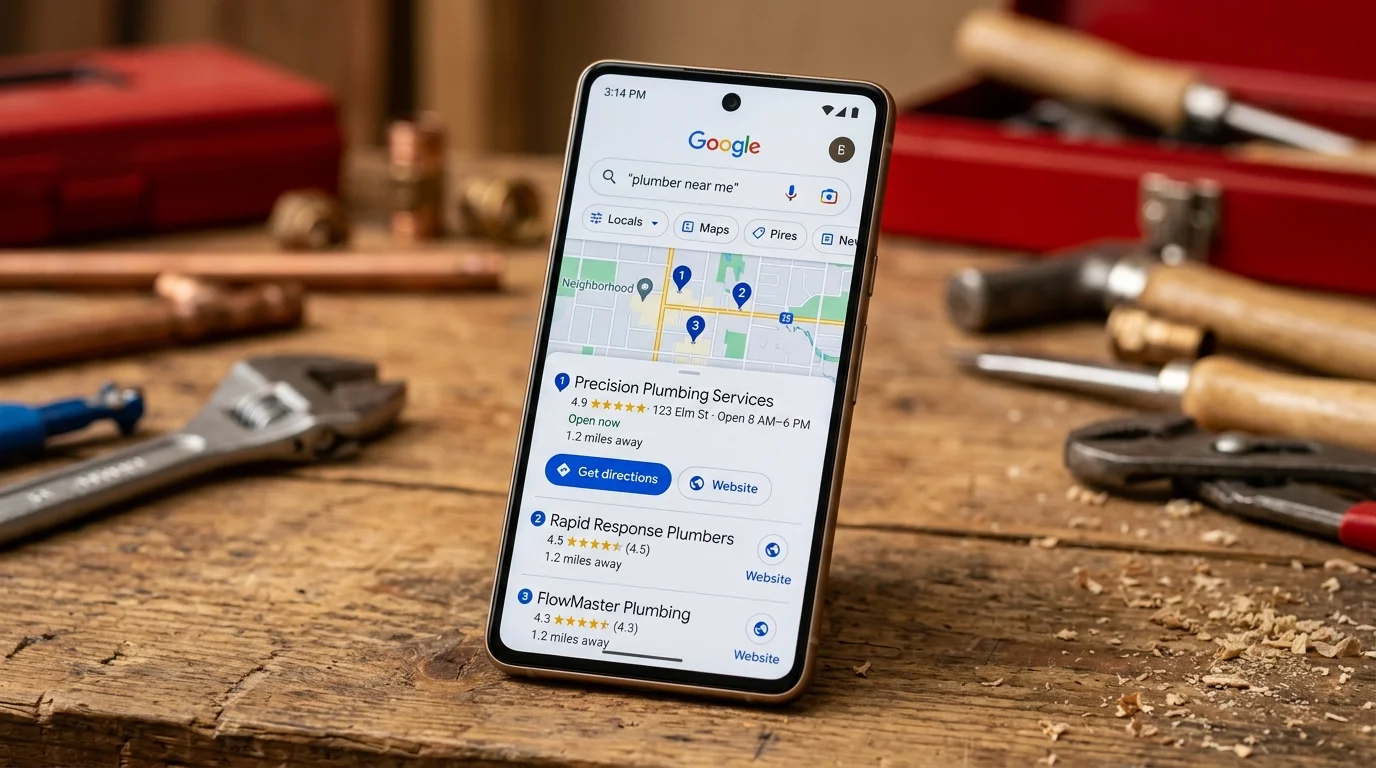
If you're a local business and your website is not showing up on Google, an incomplete Google Business Profile might be the reason. According to BrightLocal's research, about 70% of local businesses have an incomplete GBP, and they're losing customers because of it.
How to check
Search your business name on Google. If you don't see a Knowledge Panel on the right side (or a map listing on mobile), your GBP either doesn't exist or isn't verified.
How to fix it
- Go to business.google.com and claim or create your listing
- Complete every single field, business hours, categories, service areas, description, photos
- Add photos (businesses with 100+ photos get 520% more calls than average, according to BrightLocal research)
- Start asking customers for reviews, and respond to every one
- Post updates to your GBP weekly
This is often the fastest path to appearing in Google search results for local businesses. GBP optimization alone can drive a 35-50% increase in calls within the first few months.
7. Google Has Penalized Your Site
Google penalties are rare for small business sites, but they happen. They can tank your rankings overnight or remove your site from search results entirely.
How to check
Log into Google Search Console and go to Security & Manual Actions > Manual Actions. If there's a penalty, it will say so explicitly with the reason. Also check the "Security Issues" section.
Common causes
- Spammy backlinks (often from a previous SEO provider who cut corners)
- Keyword stuffing, hiding keywords in white text or repeating them unnaturally
- Cloaking, showing Google different content than what users see
- Hacked site injecting spam pages or links
How to fix it
If you have a manual action, Google tells you what's wrong. Fix the issue, then submit a reconsideration request through Search Console. For spammy backlinks, use Google's Disavow Tool. For a hacked site, clean it up, change all passwords, and update all software.
Penalty recovery typically takes 2-4 weeks after you submit the reconsideration request, assuming you've actually fixed the problem.
8. The Competition Is Too Strong for Your Target Keywords
Sometimes the reason your website is not showing up on Google isn't a technical problem. You're just trying to rank for search terms dominated by much larger, more established sites. A two-page website for a new law firm isn't going to outrank Avvo and FindLaw for "personal injury lawyer."
How to check
Search the terms you want to rank for. Look at what's on page one. If it's all major brands, national directories, or sites with thousands of pages and decades of history, you need a different approach.
How to fix it
Go more specific. Instead of "personal injury lawyer," target "personal injury lawyer in Pleasanton CA" or "motorcycle accident attorney East Bay." Long-tail keywords with location modifiers are where small businesses win. The search volume is lower, but the people searching are much closer to becoming your customers.
This is exactly why keyword research matters. You need to find terms where you can realistically compete, not just terms with the highest search volume.
9. A Website Redesign Wiped Out Your SEO
This happens constantly. A business hires a designer to rebuild their website. The new site looks better. But within weeks, their phone stops ringing because their website is not showing up on Google anymore.
How to check
If your traffic dropped sharply right after a redesign or platform migration, this is almost certainly what happened. Check Google Search Console's Performance report and look at the date your clicks fell off a cliff.
What usually goes wrong
- Page URLs changed without 301 redirects (so Google's index points to pages that no longer exist)
- Title tags and meta descriptions were wiped or replaced with defaults
- Content was removed or rewritten without any keyword strategy
- The sitemap wasn't updated or resubmitted
- The developer left
noindextags on from the staging environment
How to fix it
Set up 301 redirects from every old URL to its new equivalent. Restore your title tags and meta descriptions. Resubmit your sitemap in Search Console. Check for noindex tags. Then give it 2-4 weeks, Google needs time to re-crawl and re-index everything.
If you're planning a redesign, do the SEO migration plan before you launch, not after. This is something we build into every website project we take on.
Why Is My Website Not Ranking? What to Do Next
If your website is not showing up on Google, start at the top of this list and work your way down. Most sites have two or three of these problems at once, not just one. The order matters, there's no point optimizing keywords (reason 3) if Google can't even crawl your site (reasons 1 and 2).
"Make sure to have a website that Google would be embarrassed not to rank for its main keywords."
- Barry Schwartz, Editor, Search Engine Roundtable (source)
If you've been through this list and you're not sure what's wrong, or you know what's wrong but don't want to deal with it yourself, we'll run a free audit and tell you exactly what's holding your site back. No sales pitch, just a clear report of what's broken and what to fix first. See our pricing.
If you're a medical practice, we've written a dedicated guide: SEO for Doctors: Why Your Practice Is Invisible Online.
Sources and References
- Google. (2025). How Google Search Works. developers.google.com
- Google. (2025). PageSpeed Insights. pagespeed.web.dev
- Google. (2025). Core Web Vitals. web.dev
- Google. (2025). Mobile-First Indexing. developers.google.com
- Google. (2025). Creating Helpful Content. developers.google.com
Frequently Asked Questions
How long does it take to show up on Google?
For new websites, expect 4 to 12 weeks just for Google to index your pages, and 3 to 6 months before you start ranking for competitive terms. If you're fixing issues on an existing site, Google typically re-crawls within 2 to 4 weeks after you submit changes through Search Console.
Can I pay to show up on Google faster?
Google Ads will put you at the top of search results immediately. But you're paying per click, and you disappear the moment you stop paying. You cannot pay for higher organic rankings. What you can do is fix technical issues that are slowing down your organic timeline. Removing indexing blocks, submitting a sitemap, and fixing page speed can all accelerate how quickly Google processes your site.
Why did my website disappear from Google?
The three most common causes: a website redesign that changed URLs without redirects, a manual penalty from Google, or an accidental robots.txt change that's blocking Google's crawler. Log into Google Search Console, check for manual actions, crawl errors, and any sudden drops in indexed pages.
Do I need to submit my site to Google?
It's not strictly required. Google will eventually find most websites by following links from other sites. But submitting your sitemap through Google Search Console speeds things up and lets you request indexing for individual pages. It takes five minutes and there's no reason not to do it.