
Local SEO for Small Business: The Only Guide You Need
Local SEO for small business is the difference between showing up when someone searches "dentist near me" and being invisible while the practice down the street gets all the calls. If you serve customers in a specific area, a city, county, or metro, local SEO determines whether Google shows your business or your competitor's.
This guide covers everything that actually matters for local search rankings in 2026. No theory, no fluff, just the steps that move the needle for small businesses.
What Is Local SEO and Why Does It Matter?
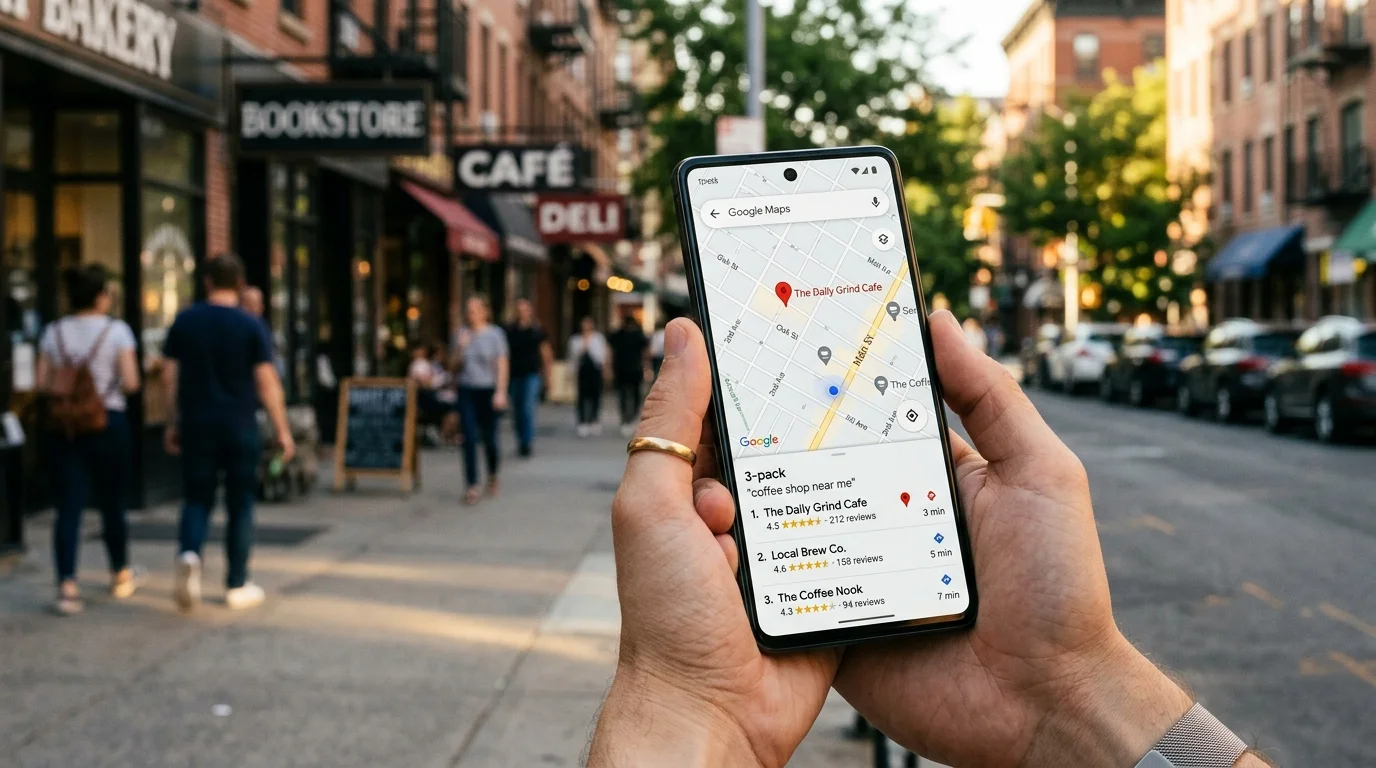
Local SEO is the practice of optimizing your online presence to attract customers from nearby searches. When someone types "plumber in San Mateo" or "best coffee shop near me," Google decides which businesses to show based on three factors: relevance (does your business match the search?), distance (how close are you?), and prominence (how well-known and trusted is your business online?).
According to Google's documentation on how search works, local results are primarily shown in the Map Pack. Those three business listings with a map that appear at the top of local search results. Over 40% of clicks on local searches go to these three spots.
If your business isn't in the Map Pack, you're losing customers to competitors who are. It's that direct. Our SEO audit checks all 38 local SEO factors to find exactly where you stand.
Step 1: Optimize Your Google Business Profile
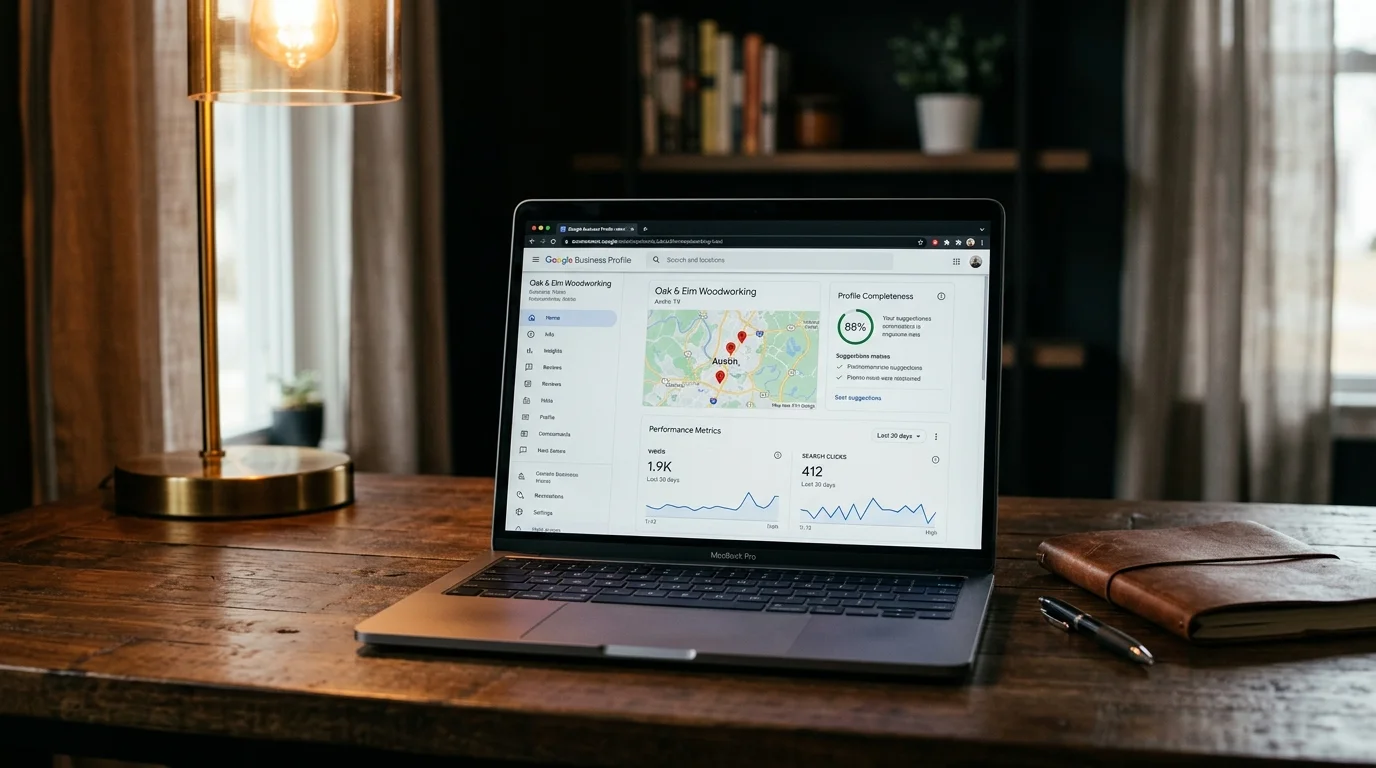
Your Google Business Profile (GBP) is the single most important factor in local SEO. According to Whitespark's Local Search Ranking Factors, GBP signals are the #1 driver of Map Pack visibility.
Here's what a fully optimized profile includes:
- Business name: Your exact legal business name. Don't stuff keywords in it, Google penalizes this.
- Primary and secondary categories: Choose the most specific primary category available. A "pediatric dentist" will outrank a "dentist" for pediatric-related searches.
- Complete business description: Use all 750 characters. Include your primary services, service area, and what makes you different.
- Hours, phone, website: Accurate and up-to-date. Inconsistencies here hurt rankings.
- Photos: Businesses with 100+ photos get 520% more calls than average, according to BrightLocal research. Add real photos of your business, team, and work. Not stock images.
- Services/products: List every service with descriptions. Google uses these for matching searches to your profile.
- Posts: Publish weekly updates, offers, or news. Active profiles signal relevance to Google.
"The number one mistake I see with Google Business Profiles is choosing too broad a primary category. If you're a 'pediatric dentist,' don't list yourself as 'dentist', specificity wins in local search."
- Joy Hawkins, Owner, Sterling Sky (source)
Step 2: Build and Manage Reviews
Reviews are the second most important local ranking factor. But it's not just about having reviews. It's about recency, volume, and response rate.
- Ask consistently: Build a simple process to ask every customer for a review. After service completion, send a direct link to your Google review page.
- Respond to every review: Google confirms that responding to reviews improves your local ranking. Respond to negative reviews professionally and promptly.
- Focus on Google first: While Yelp, Facebook, and industry-specific sites matter, Google reviews have the most direct impact on Map Pack rankings.
- Never buy or fake reviews: Google's algorithm detects patterns. A burst of 5-star reviews from new accounts will get flagged and potentially removed.
"Review recency matters more than most people realize. A business with 50 reviews from last year will often get outranked by a business with 20 reviews from the last 3 months."
- Darren Shaw, Founder, Whitespark (source)
If managing reviews manually feels like a time sink, our automation service can set up review request sequences that trigger automatically after appointments or service completion.
Step 3: Fix Your NAP Consistency
NAP stands for Name, Address, Phone number. Google cross-references your business information across hundreds of directories, social profiles, and websites. If your address says "Suite 200" on Google but "Ste 200" on Yelp and "#200" on your website, that inconsistency can hurt your rankings.
Here's how to fix it:
- Audit your citations: Check your business information on the top 50 directories, Google, Yelp, Facebook, Apple Maps, Bing Places, Yellow Pages, industry-specific directories, and chamber of commerce listings.
- Standardize everything: Pick one exact format for your business name, address, and phone number. Use it everywhere.
- Fix inconsistencies: Update every listing to match your standardized NAP. This is tedious but high-impact work.
- Build new citations: Submit your business to relevant directories you're not on yet. Focus on quality over quantity, industry-specific and local directories carry more weight than generic ones.
This is one of the most tedious parts of local SEO, but it's foundational. If you'd rather not spend hours updating directory listings, it's one of the first things we handle in our SEO audit and optimization service.
Step 4: On-Page SEO for Local Businesses
Your website needs to clearly signal to Google what you do, where you do it, and why you're the best option. Here's the local on-page checklist:
- Title tags: Include your primary service and city. "Pediatric Dentist in San Mateo | [Practice Name]" beats "Welcome to Our Practice."
- Meta descriptions: 120-155 characters with your service, city, and a reason to click.
- H1 tags: One per page, targeting your primary keyword + location.
- Service pages: Create individual pages for each major service. Not one "Services" page that lists everything. Each page should target a specific "[service] + [city]" keyword.
- Location pages: If you serve multiple cities, create a page for each with unique content (not just the city name swapped out).
- Contact page: Your full NAP, embedded Google Map, and business hours. This page often ranks for branded searches.
- Internal linking: Link between service pages, blog posts, and your contact page with keyword-rich anchor text. Read our guide on why websites don't show up on Google for common technical issues that block rankings.
If your website wasn't built with SEO in mind, you may need a website rebuild to fix the foundation before optimizing individual pages.
Step 5: Add Local Schema Markup
Schema markup is structured data you add to your website code that tells Google exactly what your business is, where it's located, what services you offer, and other details. It's like a machine-readable business card.
Key schema types for local businesses:
- LocalBusiness: Your business name, address, phone, hours, and type
- Service: Each service you offer with description and pricing
- FAQPage: Common questions and answers (also helps with featured snippets)
- Review: Aggregate rating from your reviews
- GeoCoordinates: Your exact location for Maps accuracy
Schema doesn't directly boost rankings, but it helps Google understand your business more accurately, which means better matching to relevant searches. According to Google's structured data documentation, structured data enables special search result features that increase visibility and click-through rates.
Step 6: Create Local Content
Blog posts and resource pages that serve your local community build topical authority and create more entry points from search. But generic content doesn't work. It needs a local angle.
Content ideas that work for local businesses:
- Area guides: "Best Parks Near [Your City] for Families", links your business to the community
- Local event coverage: Cover events you sponsor, attend, or participate in
- Service + location pages: "Emergency Plumbing in San Mateo", targets high-intent local searches
- FAQ pages: Answer questions your customers actually ask, with location context
- Case studies: "How We Helped [Local Business Type] Increase [Metric]", builds credibility and targets long-tail keywords
According to Google's helpful content guidelines, content should demonstrate first-hand expertise and provide genuine value to readers. Write from experience. Not from keyword tools alone. Our content creation service produces keyword-targeted content that ranks, built on a foundation of SEO research.
Step 7: Build Local Links
Backlinks from local and industry-relevant websites are a major ranking factor. But for local businesses, the quality and relevance of links matters far more than volume.
High-value local link sources:
- Chamber of commerce: Most chambers link to member businesses
- Local business associations: Industry groups, BNI chapters, rotary clubs
- Local news and media: Press releases about events, milestones, or community involvement
- Sponsorships: Sponsor local events, sports teams, or charities. Most will link back to your site
- Partner businesses: Cross-link with non-competing businesses that serve the same customer base
- Guest posts: Write for local blogs, industry publications, or community newsletters
Avoid buying links or participating in link schemes. Google's algorithm is sophisticated enough to detect unnatural link patterns. One quality link from your city's newspaper is worth more than 100 spammy directory links.
Step 8: Technical SEO Foundations
Local SEO only works on a technically sound website. If Google can't crawl your site, load it fast, or render it on mobile, nothing else matters.
The technical basics:
- Mobile-first: Over 60% of local searches happen on phones. Your site must work perfectly on mobile. Test yours at Google PageSpeed Insights.
- Page speed: Target under 3 seconds load time. According to Google's Core Web Vitals documentation, page experience is a ranking signal. Slow sites lose both rankings and customers.
- SSL certificate: HTTPS is a baseline requirement. If your site still loads on HTTP, fix this immediately.
- XML sitemap: Submit to Google Search Console so Google knows about every page on your site.
- Crawl errors: Fix broken links, 404 pages, and redirect chains. These waste Google's crawl budget and frustrate users.
We check 48 technical factors in our 200+ factor SEO audit. Most small business websites have 15-30 technical issues that are silently hurting their rankings.
Step 9: Track What Matters
You can't improve what you don't measure. Here's what to track for local SEO:
- Map Pack rankings: Are you showing up in the top 3 for your target keywords?
- GBP insights: Calls, direction requests, website clicks, and photo views from your profile
- Organic traffic: Monthly visits from Google (Google Analytics)
- Keyword rankings: Where you rank for your target "[service] + [city]" keywords
- Leads: Phone calls, form submissions, and appointments from organic search
- Review velocity: How many new reviews you're getting per month
Check these monthly at minimum. If nothing is improving after 3-4 months of consistent work, something in your strategy needs adjusting. Our monthly reporting tracks all of these metrics and shows exactly what moved and why.
The 5 Most Common Local SEO Mistakes
- Incomplete Google Business Profile: According to BrightLocal's Local Consumer Review Survey, roughly 70% of local business Google Business Profiles are incomplete. This is the single easiest fix with the biggest impact.
- Ignoring reviews: Not asking for reviews, not responding to them, or buying fake ones. All three hurt you.
- One "Services" page instead of individual service pages: Google can't rank one page for 15 different keywords. Create dedicated pages for each service.
- No local content: A website with 5 static pages gives Google nothing new to index. Publish regularly.
- Inconsistent NAP: Every inconsistency creates doubt about your business's legitimacy. Clean it up.
FAQ
How much does local SEO cost for a small business?
Local SEO for a single-location small business typically costs $500-$1,000/month. This covers Google Business Profile optimization, citation management, review strategy, local content, and monthly reporting. Businesses in competitive markets or with multiple locations should budget $1,000-$2,000/month. See our full SEO pricing breakdown for details on what each price tier delivers.
How long does local SEO take to work?
Google Business Profile changes can show results in 4-8 weeks. Citation cleanup and review building typically take 2-3 months to impact rankings. Content-driven improvements take 3-6 months. Most businesses see measurable improvement within 90 days if the fundamentals are addressed first.
What is the difference between SEO and local SEO?
Regular SEO focuses on ranking in organic search results nationwide. Local SEO focuses on appearing in Google Maps results and location-based searches like "dentist near me" or "plumber in San Mateo." Local SEO involves optimizing your Google Business Profile, managing reviews, building local citations, and creating location-specific content. Read our guide on SEO services for small business for a broader look at what SEO covers.
Can I do local SEO myself?
You can handle the basics yourself: claim and complete your Google Business Profile, ask customers for reviews, and make sure your NAP is consistent across the web. But technical auditing, citation management at scale, local content strategy, and ongoing optimization require tools and expertise most business owners don't have time to learn.
What is the most important factor in local SEO?
Google Business Profile optimization is the single most important factor for Map Pack rankings. According to Whitespark's Local Search Ranking Factors, GBP signals account for the largest share of local pack ranking factors. A complete, accurate, and regularly updated profile is the foundation everything else builds on.
Sources and References
- Google. (2025). Creating Helpful Content. developers.google.com
- Google. (2025). Core Web Vitals Documentation. developers.google.com
- Google. (2025). Structured Data Documentation. developers.google.com
- Whitespark. (2025). Local Search Ranking Factors. whitespark.ca
- BrightLocal. (2025). Local Consumer Review Survey. brightlocal.com
- BrightLocal. (2025). Local SEO Research. brightlocal.com
Voxel Phase provides local SEO audits, keyword-targeted content, SEO-first websites, and business automation for small businesses nationwide. See industry-specific guides for dentists, roofers, and realtors. Plans start at $588/month. Get your free audit.