
The Best SEO Blog Writing Tools (And How We Use Them)
Last Updated: March 2026
There are hundreds of SEO tools on the market. Most blog writers use zero of them. They write on instinct, publish, and hope for the best. On the other end, some writers subscribe to six different platforms and spend more time in dashboards than actually writing.
Neither approach works. You need specific tools for specific steps in the SEO blog writing process: researching keywords, analyzing intent, optimizing content structure, adding schema markup, and tracking results after publication. This guide covers the tools that actually move the needle, organized by where they fit in the workflow.
The Five Tool Categories You Actually Need
Every tool in the SEO content space falls into one of five categories. You need at least one tool from each category to write blog posts that rank consistently. Some tools cover multiple categories, which can reduce your total stack.
| Category | What It Does | Free Option | When You Need Paid |
|---|---|---|---|
| Keyword Research | Find search terms, volume, difficulty | Google Keyword Planner | Need difficulty scores and cluster mapping |
| Intent Analysis | Determine what format/depth to use | Manual SERP review | Processing more than 10 keywords per month |
| Content Optimization | Score content against top-ranking pages | Manual competitor review | Writing more than 4 posts per month |
| Schema Generation | Create structured data markup | Google's Structured Data Markup Helper | Need automated schema at scale |
| Rank Tracking | Monitor keyword positions over time | Google Search Console | Need daily tracking or competitor comparison |
Keyword Research Tools
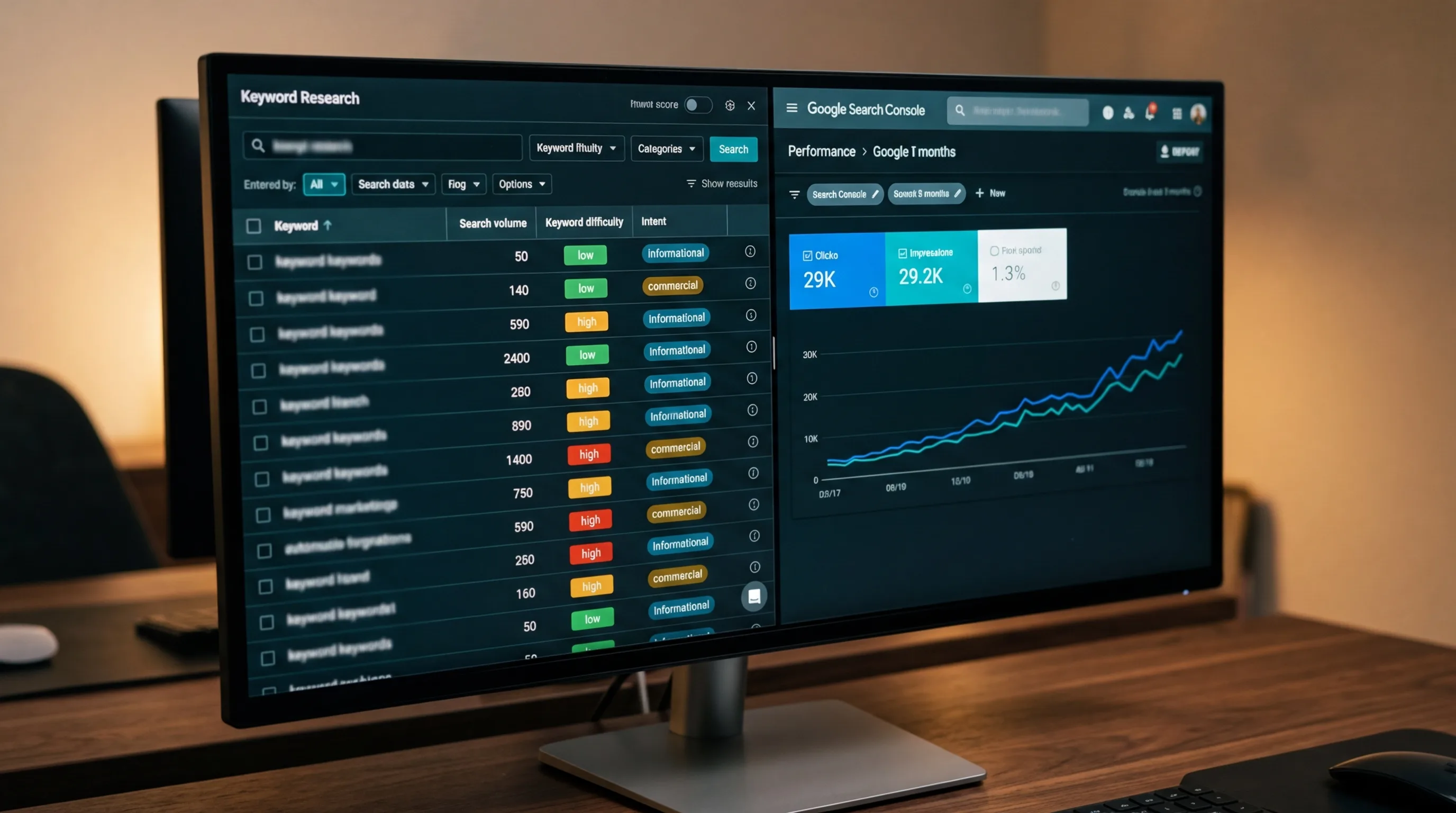
Keyword research is the foundation of every SEO blog post. The right tool tells you what people search for, how often, and how hard it would be to rank for each term. Without this data, you're guessing at topics.
Google Keyword Planner (free)
Google's own tool provides search volume ranges and competition levels for any keyword. It's designed for Google Ads, but the keyword data is useful for organic SEO. The limitation: volume is shown in ranges (100-1K, 1K-10K), not exact numbers. And it doesn't provide keyword difficulty scores, which means you can't easily judge how competitive a keyword is for organic ranking.
Best for: businesses just starting with blog content who need basic keyword data at no cost.
DataForSEO API
DataForSEO provides programmatic access to keyword data, SERP analysis, backlink metrics, and content analysis. Unlike platform-based tools with monthly subscriptions, DataForSEO charges per API call, which makes it cost-effective for agencies and businesses that need data on demand rather than unlimited dashboard access. It returns exact search volumes (not ranges), keyword difficulty scores, search intent classification, and historical trend data.
This is what we use at Voxel Phase for our blog writing service. Every post starts with a DataForSEO keyword cluster analysis that maps the primary keyword, secondary terms, question keywords, and related subtopics before writing begins.
Google Trends (free)
Google Trends shows search interest over time for any keyword. It doesn't provide absolute volume numbers, but it's excellent for identifying seasonal patterns and comparing relative interest between topics. If you're deciding between two blog post topics, Trends shows which one has growing interest versus declining interest.
Search Intent Analysis Tools
Understanding search intent is what separates content that ranks from content that doesn't. The wrong format for a keyword means the post won't match what Google expects, regardless of quality. We covered intent types in detail in our guide on writing SEO-friendly blog posts.
Manual SERP analysis (free)
The simplest and most reliable method: Google your target keyword and study the top 5 results. Are they how-to guides? Listicles? Product comparisons? Whatever format dominates page one is what Google has determined matches the intent. This takes 5 minutes per keyword and costs nothing.
Automated intent classification
Tools like DataForSEO include search intent classification that tags keywords as informational, commercial, transactional, or navigational. This saves time when you're analyzing dozens of keywords at once, but the manual SERP check should still be your final verification before writing.
Content Optimization Tools
Content optimization tools analyze the top-ranking pages for your target keyword and tell you what topics, terms, and structure your content needs to compete. They score your draft against the current top 10 and highlight gaps.
Manual competitor analysis (free)
Read the top 5 results for your target keyword. Note which subtopics every result covers (these are table stakes), which questions they answer, and what they miss. Then write content that covers everything they cover plus the gaps they missed. This is the competitive gap analysis step we describe in our content creation process.
When paid optimization tools make sense
If you're publishing 4+ posts per month, manual competitor analysis becomes a time sink. Paid content optimization tools automate this analysis and give you a real-time score as you write. They're worth the investment once your content velocity justifies the subscription cost. Below that volume, manual analysis gives you the same strategic insight for free.
Schema Markup Tools
Schema markup is the most skipped step in blog writing. According to Google's Article schema documentation, structured data helps Google understand content and display it with enhanced features in search results. Most blog writers don't add it because it requires working with JSON-LD code.
Google's Structured Data Markup Helper (free)
Google provides a free tool that generates structured data markup by walking you through a visual interface. You tag elements on your page (title, author, date, image) and it outputs the JSON-LD code. It covers Article, BlogPosting, and other common types. This is the minimum viable approach for adding schema to blog posts.
Google's Rich Results Test (free)
After adding schema, validate it with Google's Rich Results Test. Paste your URL and it shows whether your structured data is valid, what rich result types are eligible, and any errors that need fixing. Run this on every post before considering it "done."
WordPress plugins and CMS integrations
Most modern CMS platforms have schema plugins that automatically generate Article schema for blog posts. If you're on WordPress, plugins can handle the basic BlogPosting schema without manual coding. The limitation is that plugins typically don't generate FAQ schema or HowTo schema, which require per-post configuration based on the content.
At Voxel Phase, we include both Article and FAQ schema with every blog post. Our buyer's guide to blog writing services explains why schema is one of the clearest differentiators between amateur and professional content.
Rank Tracking Tools
Publishing a blog post without tracking its performance is like running ads without measuring conversions. You need to know whether the content is ranking, for which keywords, and whether it's climbing or stagnant.
Google Search Console (free)
Google Search Console is the most important free SEO tool available. It shows which queries your pages appear for, average position, click-through rate, and impressions over time. For blog post tracking, filter by page URL to see exactly which keywords each post ranks for and how those positions change week over week.
GSC data has a 2-3 day delay and shows averages rather than real-time positions. But for the vast majority of blog content tracking, it provides everything you need at no cost.
When you need dedicated rank trackers
Dedicated rank tracking tools provide daily position updates, competitor tracking, and historical ranking charts that GSC doesn't offer. They're worth the investment when you're publishing at scale (8+ posts per month), tracking competitive keywords where position changes day-to-day matter, or need to benchmark against specific competitors.
The Minimum Viable Tool Stack
You don't need to spend $500/month on SEO tools to write blog posts that rank. Here's what you actually need:
- Google Keyword Planner (free) for basic keyword research, or a paid tool for exact volumes and difficulty scores
- Google Search (free) for manual intent analysis and competitor review
- Google's Structured Data Markup Helper (free) for schema generation
- Google Search Console (free) for rank tracking and performance monitoring
- Google's Rich Results Test (free) for schema validation
That's a complete tool stack for $0/month. The paid upgrades add convenience, speed, and depth, but the free stack covers every step of the SEO blog writing process.
If the tools are free but the process feels like too much work, that's the trade-off between DIY and hiring a service. Our blog writing packages use professional-grade tools (DataForSEO for keyword research, custom schema generation, 60-day rank tracking) and handle the entire process for $99 per post. You get the output without managing the tool stack.
Sources and References
- Google. (2025). Article Structured Data. developers.google.com
- Google. (2024). SEO Starter Guide: The Basics. developers.google.com
- Google. (2025). Rich Results Test. search.google.com
- Google. (2025). Structured Data Markup Helper. google.com
Voxel Phase provides SEO blog writing with professional-grade tools built into every post. Also offering local SEO audits, content strategy, and SEO-optimized websites for small businesses in San Francisco, Oakland, the Bay Area, San Jose, and Sacramento. Order your first post for $39.95.